CorelDRAW plugin built for motocross graphics makers
Better material use, less waste and more profit for your business!
MX App nests your parts by their real shape, building tighter, optimized print sheets. The result? Less material, shorter print times and more profit for your business!
On top of that, automatic bleed, color swap and smart mirror speed up file preparation, cutting manual work and boosting your team’s productivity.
CUSTOMERS
Companies that use MX App every day.




01 · COMPARISON
See the difference in practice.
We compared real sheets of best-selling graphics kits, nested in another program and in MX App, on the same material width.
Honda CRF 250F
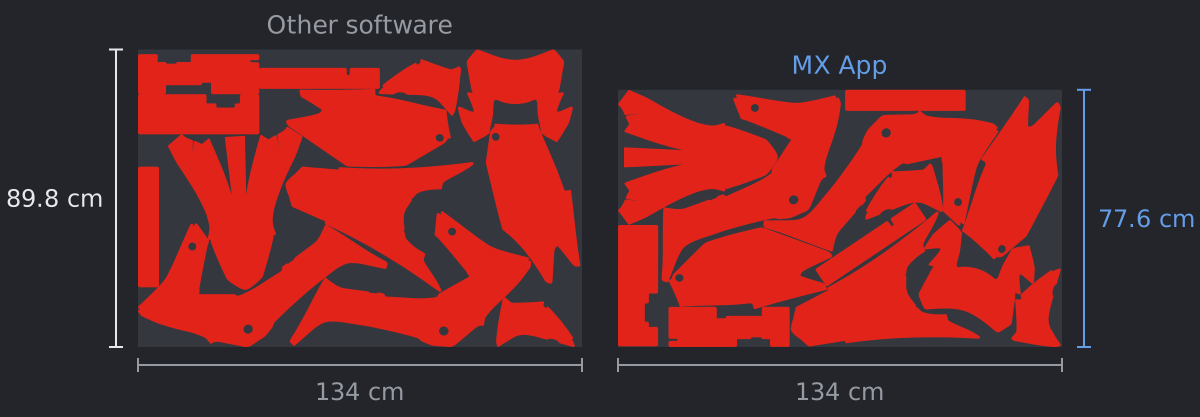
Sheet 12.2 cm (13.6%) shorter with MX App
Honda CRF 300F
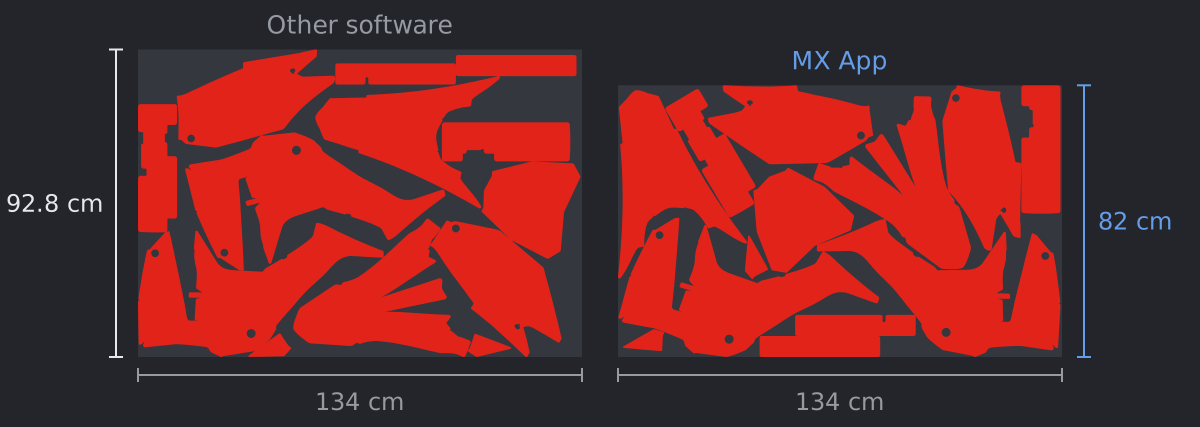
Sheet 10.8 cm (11.6%) shorter with MX App
Kawasaki KX 450F
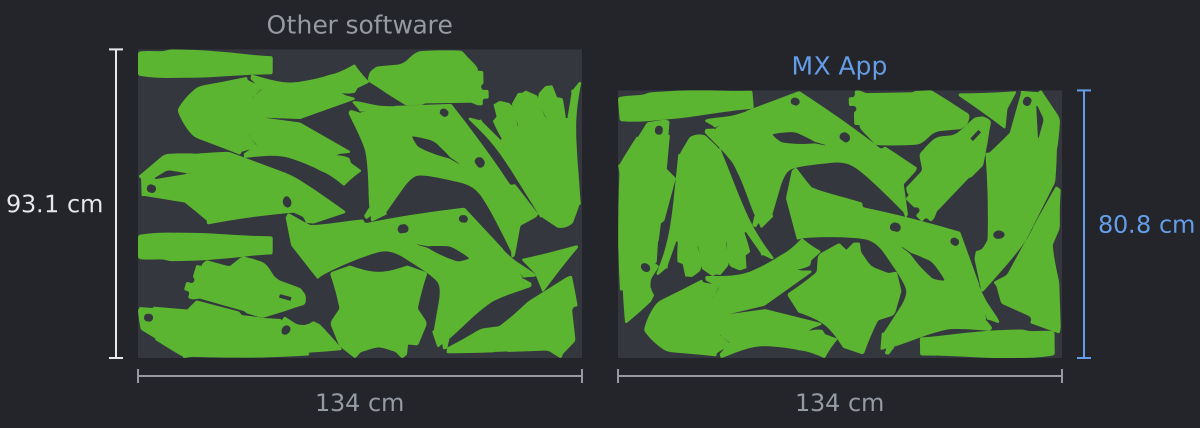
Sheet 12.3 cm (13.3%) shorter with MX App
KTM 450 EXC-F
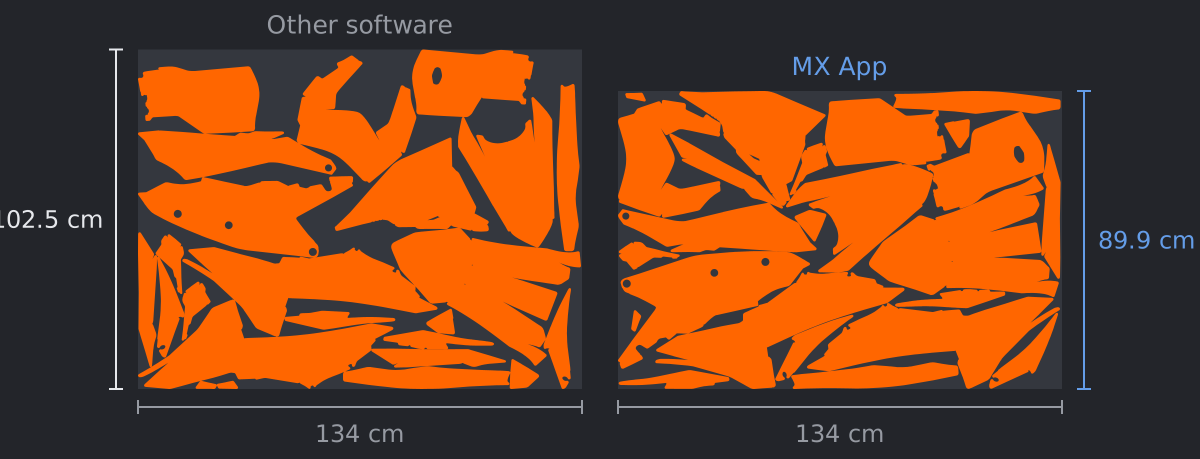
Sheet 12.5 cm (12.2%) shorter with MX App
Sheet lengths measured on 134 cm wide material.
02 · SAVINGS
How much material can MX App save in your production?
Set how many kits your company makes per month and see how much material MX App can save, based on the real results of the moulds compared above.
Average of the four moulds in the comparison, at 134 cm wide.
On average, each kit uses 11.9 cm less sheet length.
Simulation based on the sheets in the comparison. Real savings depend on each company’s moulds, material and workflow.
03 · FEATURES
The tasks you do every day, done faster.
Every feature is on the MX App toolbar, inside CorelDRAW. No preparation needed: the features work on your files just as they are.
Nest Sheets
Nests the parts by their real shape, rotating each one to use less material. You can also add crop marks and split the print and cut files.

Fill the gaps with stickers
Once the sheet is nested, pick logos from your list and MX App nests extra stickers into the room left over, without making the sheet longer or moving the parts. Material that would go in the bin becomes a giveaway or something to sell.
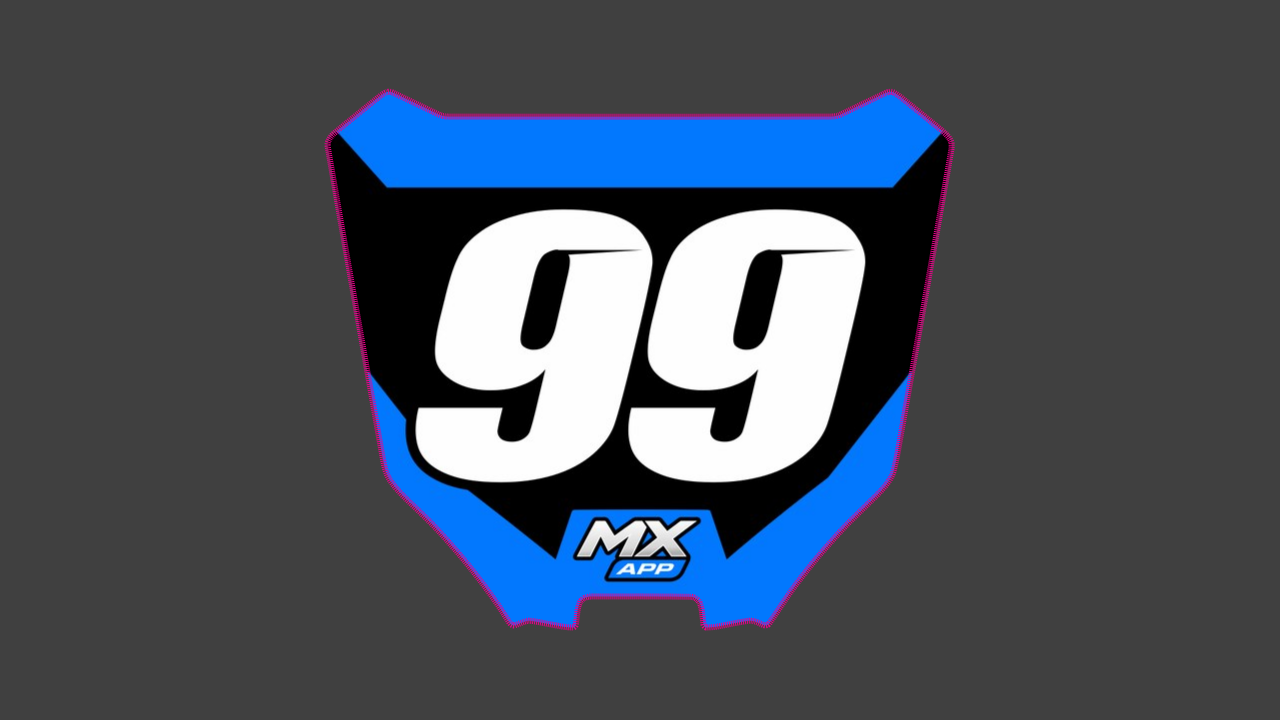
Automatic Bleed
Creates the cut line and extends the artwork by your production’s bleed size, in one click.
Color Swap
Lists every color in the selection or on the page and swaps colors for one another in a single click. Ideal for making the same design in several color combinations and matching artwork to your color standards.
Smart Mirror
Mirrors every element of the artwork and sets logos and text at the right angle.
And more, on the same toolbar:
- Add to PowerClipPuts all the loose logos and text into the PowerClip of the part behind them, in one go.
- Clear PowerClipEmpties the PowerClip of the selected parts and leaves only the template, ready for new artwork.
- Crop to Cut LineMakes a copy of each part with the artwork cropped exactly at the cut line.
- DimensionsDraws the sticker’s width and height in centimeters, ready for the quote.
- Crop marksL corners, circles or the Saga pattern, with separate print and cut sheets.
- Toggle ViewSwitches between wireframe and enhanced view with one click.
04 · HOW IT WORKS
From finished artwork to production sheet in seconds.
No exporting or importing: MX App works inside CorelDRAW, on the parts you already have.
Select the parts
Select the graphics parts and click Nest Sheets on the MX App toolbar.
Enter the sizes
Type the width and height of your sheets.
Pick the extras
Turn on extra options such as crop marks and separate print and cut sheets.
Let MX App work
Let the program do its magic while your sheet is built.
Finish
Press Apply, and your sheets are ready for production.
PRICING
A plan that pays for itself with the first kits.
No "basic" or "premium" tiers: subscribers get every feature and receive updates as soon as they are released.
Free trial
US$ 0
2 DAYS · 1 COMPUTER
- Full version, nothing locked
- No credit card
- Ends on its own, nothing to cancel
- One trial per company
Single subscription
US$ 19 / month
1 COMPUTER
- Updates and new features included
- WhatsApp support
- Installation support
- Cancel anytime
Multiple subscriptions
Contact us
2 OR MORE COMPUTERS
- Every feature on each computer
- Updates and new features included
- Special terms for your whole team
05 · REQUIREMENTS
Install and start using it the same day.
MX App runs on CorelDRAW 2020 or newer, on Windows 10 or 11. No new software to learn and no change to the way you work.
- CorelDRAW
- 2020 or newer
- System
- Windows 10 or 11 (64-bit)
- Crop marks
- L-shaped corners, circles or the Saga pattern, with a CutContour line
- Internet
- Only to activate and confirm the license; works up to 5 days offline
- License
- One per computer; to move to another computer, just contact support
- Installation
- Its own installer, ready in a few minutes, with WhatsApp support
- Program language
- Portuguese for now; the English version is on the way
06 · FAQ
Before you install.
If I already use a nesting program, do I have to stop?
No. MX App works alongside the program you already use. You can nest the same sheet in both and compare the results.
Do my files leave my computer?
No. Nesting and every feature run on your computer. The internet is only used to confirm the license.
On how many computers can I use it?
Each license covers one computer. More machines need one subscription each. If you change computers, just contact support.
What if the internet goes down?
The program keeps working for up to 5 days offline. When the connection is back, it confirms the license on its own.
How does the subscription work?
The subscription is US$ 19 a month per computer and includes every feature, updates and WhatsApp support. Before subscribing, you can try MX App free for 2 days. To subscribe, message us on WhatsApp and we will arrange the payment with you. Your license key is sent as soon as the payment is confirmed.
Try it on your next kit and be amazed by the result.
Request your trial and compare the MX App sheet with the one you make today.